
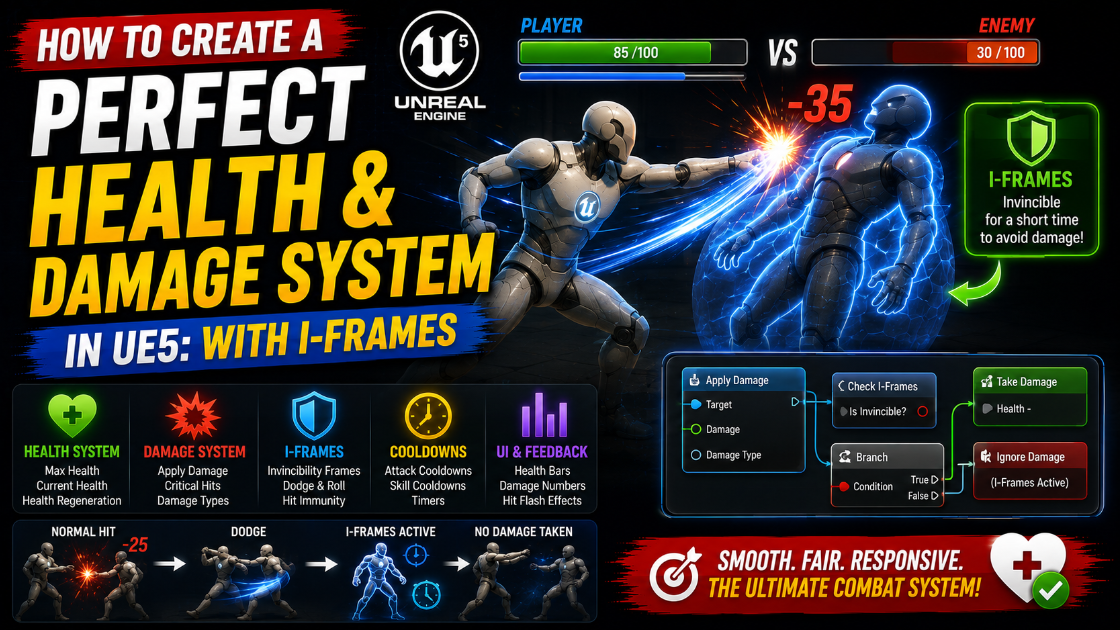
How to Create a Perfect Health & Damage System in UE5: With I-Frames
Picture this. Your player charges into a swarm of enemies and takes one clean hit. Fair enough. But then the same attack registers four more times in a single frame and your hero drops dead before you even let go of the dodge button. Frustrating right? That is the exact problem we are going to solve together today. By the end of this guide you will have a clean reusable health system that feels fair and reacts instantly and never punishes your player with cheap multi-hits.
Let me walk you through it piece by piece. Grab your project and follow along.
Build the Health Component First
Here is the golden rule. Never bury health logic inside your character. The moment you do that you lock yourself out of reusing it. Instead we build a component that you can drop onto anything. An enemy. A barrel. A breakable crate. All of them share the same brain.
Right click in your Content Browser and pick Blueprint Class. Choose Actor Component as the parent and call it BP_HealthComponent. This little component is going to become the heart of your whole combat loop.
Open it up and add these variables.
Variable >Name >Type Default
- CurrentHealth> Float >100.0
- MaxHealth >Float >100.0
- IFrameDuration> Float >0.8
- bIsInvincible> Boolean >false
Make CurrentHealth and MaxHealth Instance Editable. Why does that matter? Because now you can give a tiny goblin 30 health and a massive boss 5000 health without ever opening this component again. You set it right there in the level. That flexibility is what makes a component worth building.
Now add two Event Dispatchers. Think of these as little radio towers that shout out to anyone listening.
OnHealthChanged carrying two values NewHealth (Float) and Delta (Float)
OnDeath carrying nothing at all Your health bar listens to one tower. Your death animation listens to the other. Neither of them needs to know how damage actually works. That separation is going to save you so much pain later.
The ApplyDamage Function
This is where the magic happens so take your time here. Create a Function called ApplyDamage and give it one input named Amount (Float). Start with a gatekeeper. Drop a Branch node and feed it this condition.
(CurrentHealth > 0) AND (NOT bIsInvincible) AND (Amount > 0). Read that out loud. The actor must be alive. The actor must not be mid invincibility. The damage must actually be positive. If any of those fail you send the wire straight to Return and nothing happens. This single branch is doing a huge amount of quiet work for you.
If everything passes you move on. Drop a Min (Float) node and feed it Amount and CurrentHealth. This stops your health from ever diving into negative numbers which keeps your UI clean. Subtract that result from CurrentHealth using a SET node.
Now shout it from the rooftop. Call your OnHealthChanged dispatcher. Pass the fresh CurrentHealth and pass the damage as a negative number so listeners know it was a hit and not a heal.
Then ask the big question. Add another Branch checking CurrentHealth <= 0. If it comes back true your actor just died. Set CurrentHealth to a clean 0 and fire the OnDeath dispatcher and wire to Return. Notice what we are doing here. A dead actor never gets invincibility frames because that would be pointless. The corpse does not need protecting.
If the branch comes back false your actor survived the blow. That is the moment to grant mercy. Wire it into a call to StartIFrames.
The Two Tiny Functions That Make I-Frames Work
People think invincibility frames are complicated. They are not. They are one boolean and one timer. That is the whole trick.
Make a function called StartIFrames.
First SET bIsInvincible to True. Your actor is now untouchable. Next and this part is genuinely important add a Clear and Invalidate Timer by Handle node and feed it a new variable called IFrameTimerHandle of type Timer Handle. Finally add Set Timer by Function Name. Point the name at EndIFrames and set the time to your IFrameDuration variable and leave looping off. Store the return value back into IFrameTimerHandle.
Why do we clear the timer before starting a new one? Imagine your player gets clipped twice in a fraction of a second. Without that clear the second hit could leave the old timer running and end your protection way too early. That clear node is your insurance policy. Never skip it.
Now make a second function called EndIFrames. Drag the exec pin into a single SET bIsInvincible False node. That is it. Your actor is vulnerable again and the cycle is ready to repeat.
Feel how clean that is? Two functions. One boolean. A perfectly fair dodge window every single time.
Let Your Player Heal Too
Combat goes both ways so build a recovery path. Create a function called ApplyHeal with an Amount (Float) input. Guard it with a Branch checking the actor is alive and the amount is positive. Failures go to Return.
Then use a Min (Float) node fed with Amount and (MaxHealth minus CurrentHealth). This clamps the heal so a giant health potion can never push you past your maximum. Add the result to CurrentHealth with a SET and call OnHealthChanged with a positive Delta. Your green healing numbers and your red damage numbers now flow through the exact same channel which is beautifully tidy.
Clean Getters For Everyone Else
Create three Pure Functions. GetCurrentHealth. GetMaxHealth. IsInvincible.
Pure functions have no execution pin so they plug straight into branch conditions and UI bindings without messing up the flow of your graphs. Your AI can peek at IsInvincible before committing to an attack. Your health bar can read GetCurrentHealth every frame. Everyone gets what they need and nobody touches your private logic.
Wire It Into Your Character
Open your character Blueprint. Head to the Components panel and click Add and search for BP_HealthComponent and drop it in.
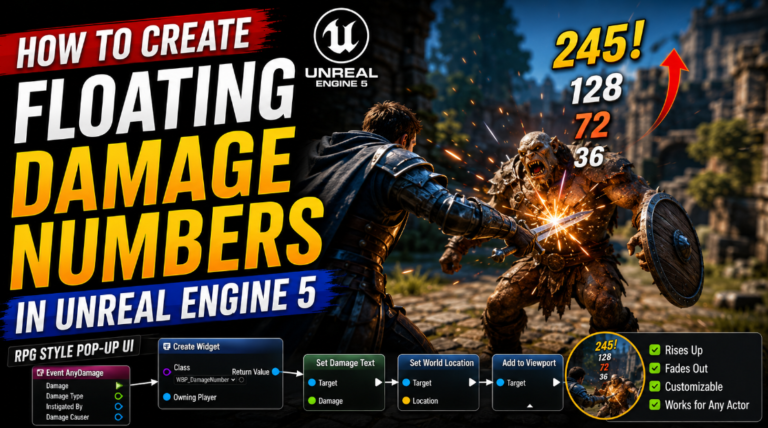
Now jump to the Event Graph and find Event AnyDamage. This is your best friend. It fires automatically whenever anything in the world calls Apply Damage on this actor and it hands you the Damage value for free.
Wire it like so.
Event AnyDamage → Get BP_HealthComponent → ApplyDamage (Damage)
That one connection just plugged your entire system into the engine. Anything that damages this character now respects your I-frames without you lifting another finger.
On Event BeginPlay drag off the component and call Bind Event to OnDeath. Create a custom event called HandleDeath and link it. Inside HandleDeath disable player input and flip on Set All Bodies Simulate Physics on the mesh for a satisfying ragdoll collapse.
Make a Weapon That Actually Hits
Open your weapon Blueprint. In your swing logic fire a Sphere Trace For Objects along the arc of the strike. Break the hit result and grab the Hit Actor. Then call the Apply Damage node from GameplayStatics and feed the hit actor as the target and your WeaponDamage as the value.
Here is a tip that will save your sanity. One swing can overlap the same enemy several times. To stop that keep a Set of Actors variable and add every actor you hit. Before you damage anyone check if they already live in that set. Clear the set when the swing finishes. Now each enemy takes exactly one clean hit per swing which is precisely what your I-frame window expects.
Show The Player They Are Safe
Invincibility means nothing if your player cannot feel it. So let us make it loud and obvious.
Bind to OnHealthChanged on BeginPlay. In the bound event check if Delta < 0 which tells you it was a hit. If true call Set Scalar Parameter Value on your mesh material and push a parameter called FlashAmount up to 1.0. Then start a timer pointing at a FlashEnd function that drops FlashAmount back to 0. Match that timer length to your IFrameDuration so the glow fades exactly when vulnerability returns.
Over in your material create a Scalar Parameter named FlashAmount and lerp your base color toward bright white using it. That classic white flash is a language every player already understands. It screams you are safe right now and that feedback is what makes combat feel responsive instead of random.
The Edge Cases That Separate Good From Great
Damage over time like poison or fire should ignore invincibility. Add a boolean input bIgnoreIFrames to ApplyDamage and update your gate.
(CurrentHealth > 0) AND ((NOT bIsInvincible) OR bIgnoreIFrames) AND (Amount > 0)
Now a burning floor keeps ticking even while a melee swing politely waits its turn.
Respawning needs a fresh start. Build a ResetHealth function that restores CurrentHealth to MaxHealth and clears IFrameTimerHandle and sets bIsInvincible back to false.
Multiplayer has one firm rule. Damage runs on the server only. Check Has Authority at the top of ApplyDamage and return early if it fails. Mark CurrentHealth as Replicated and use a RepNotify to fire OnHealthChanged on every client so health bars stay perfectly in sync.
Wrapping Up
So what did you actually build today? You built a brain in BP_HealthComponent that owns every scrap of state. You bridged it into the engine through Event AnyDamage with a single wire. You turned invincibility frames into nothing more than one boolean guarded by one timer. And because every part talks through dispatchers your UI and animations and audio all snap on without ever tangling into your core logic.
Go drop this component on an enemy right now and watch it just work. Then tune IFrameDuration until the dodge feels exactly right for your game. That feeling of fairness you are chasing? You just engineered it.
If your health system is behaving unexpectedly or your I-Frames are not blocking damage correctly reach out at Admin@KaliPress.fun and I will help you debug exactly where the issue is coming from.

Solo Indie Game Developer and Unreal Engine (UE4 & UE5) Specialist with over 5 years of experience building optimized Android games from scratch.
I specialize in handling the full development pipeline independently taking mobile titles from concept to high-performance, publishing ready APK/AAB builds. Highly focused on rendering optimization for low-to-mid range devices, Blueprint scripting, and custom mechanics.
Through this blog, I share my practical knowledge and tutorials to help aspiring developers master the Unreal Engine mobile ecosystem.
One Comment